This is a great way to use dotphoto:
1. Upload hundreds of photos
2. Edit the ones you want to share in dotphoto.
3. Copy and paste a few photos from dotphoto to a Facebook post.
How to copy and paste photos from dotphoto into Facebook
1. Click on a photo in dotphoto.
2. When the photo opens, click on the right mouse button. This produces a menu. On the menu, choose Copy image.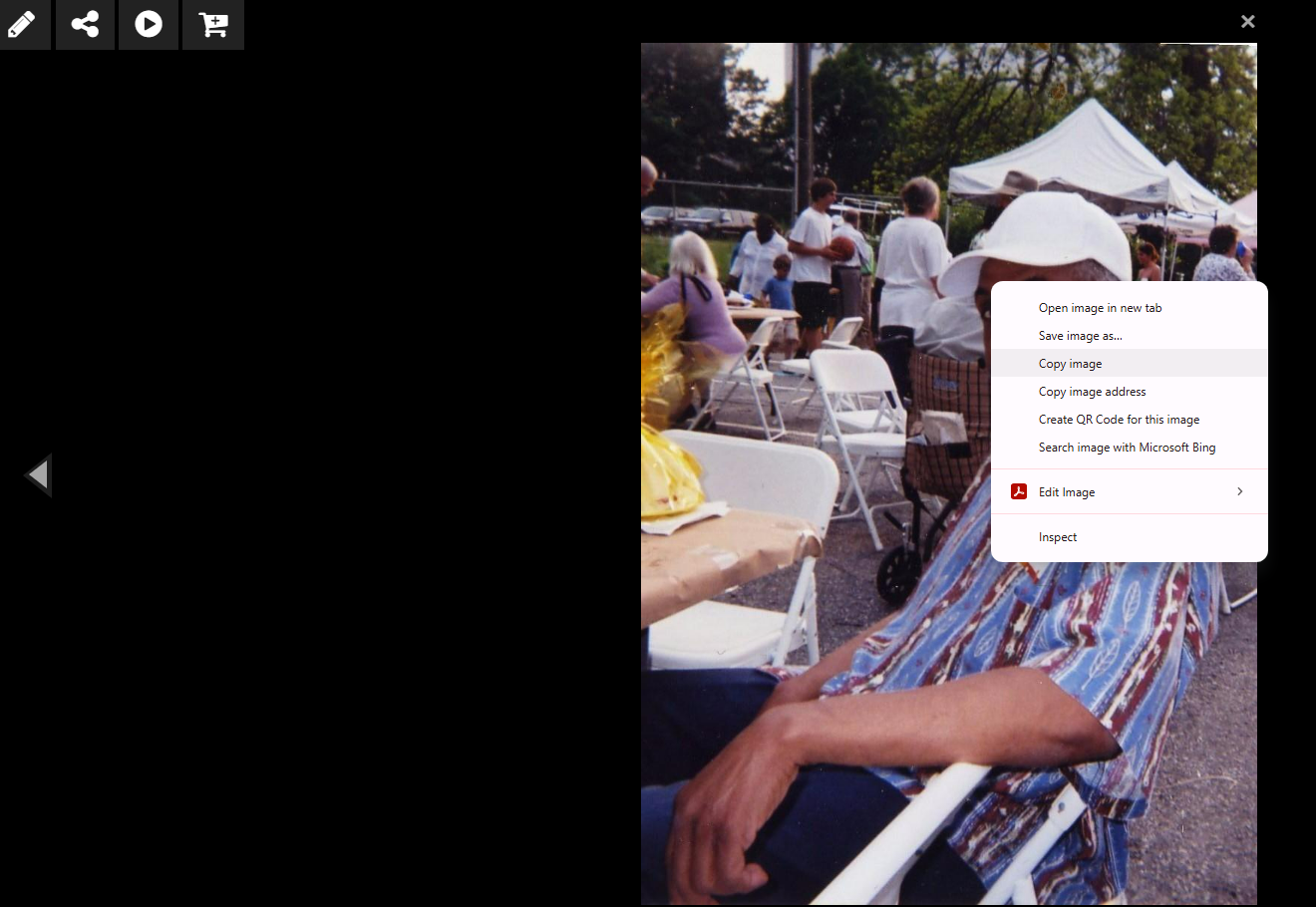
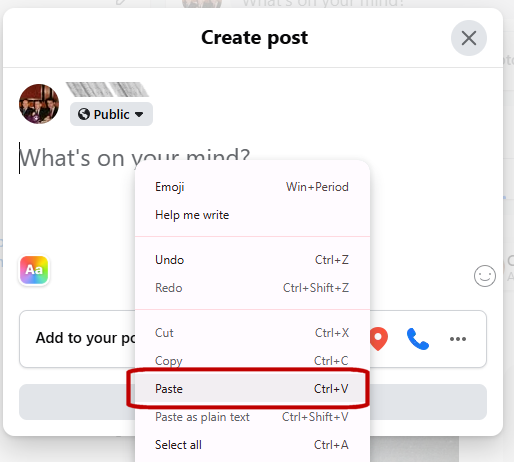
3. Go to your Facebook account and start a post.
4. Click again on the right mouse button. This produces a menu. Choose Paste to save the photo to your post. (You can also hold down the Ctrl key and press V. The photo that you copied is now pasted into your Facebook post.
Was this article helpful?
That’s Great!
Thank you for your feedback
Sorry! We couldn't be helpful
Thank you for your feedback
Feedback sent
We appreciate your effort and will try to fix the article