The Unlimited HEIC Converter is a simple, free batch conversion will convert HEIC files to JPGs on a Windows computer.
FREE DOWNLOAD HERE:
https://apps.microsoft.com/detail/9n3vrn5l9dns?hl=en-US&gl=US
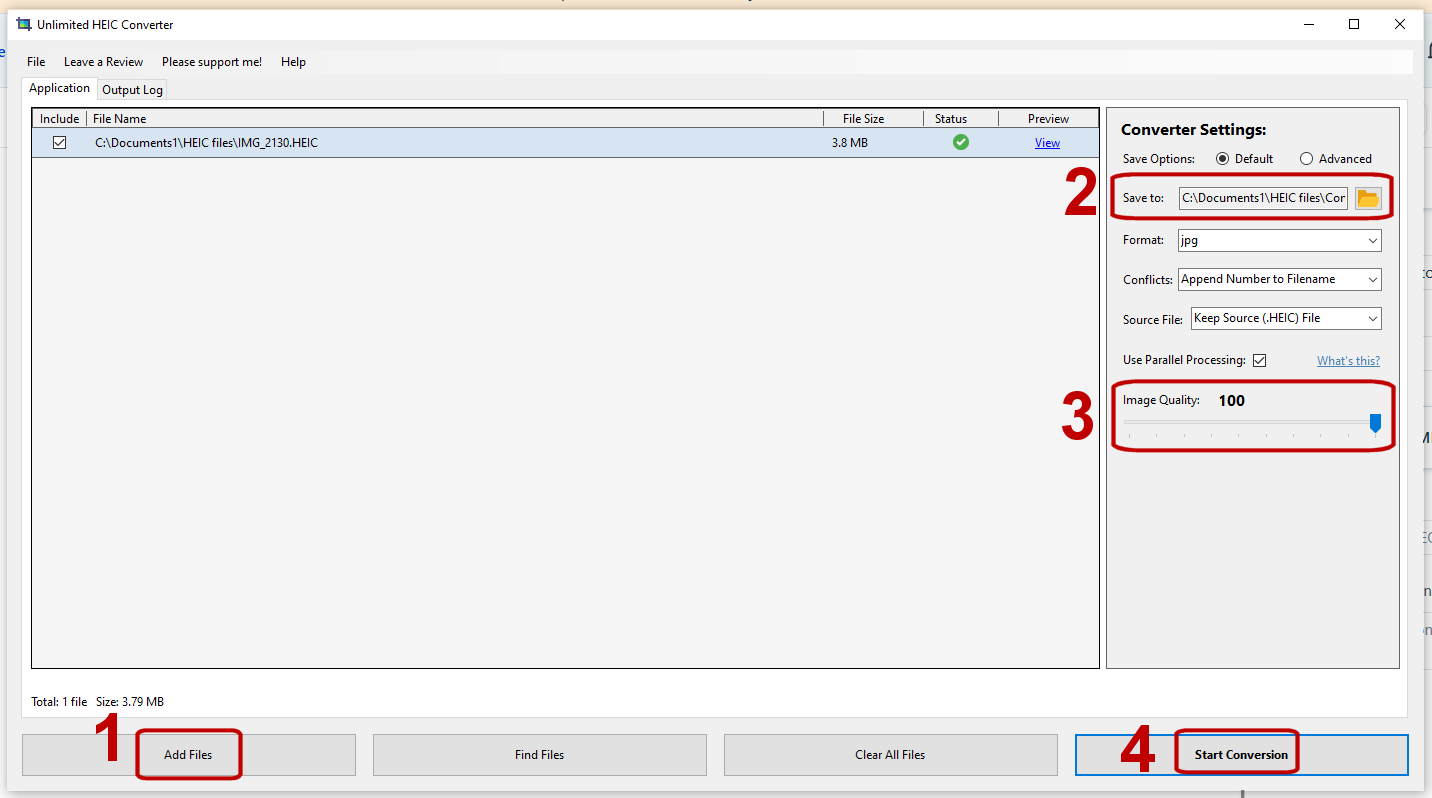
1. Add your HEIC files
2. Tell the program where you want to save your JPGs.
3. Set the Image Quality.
4. Start the conversion.
Was this article helpful?
That’s Great!
Thank you for your feedback
Sorry! We couldn't be helpful
Thank you for your feedback
Feedback sent
We appreciate your effort and will try to fix the article